Skip to content


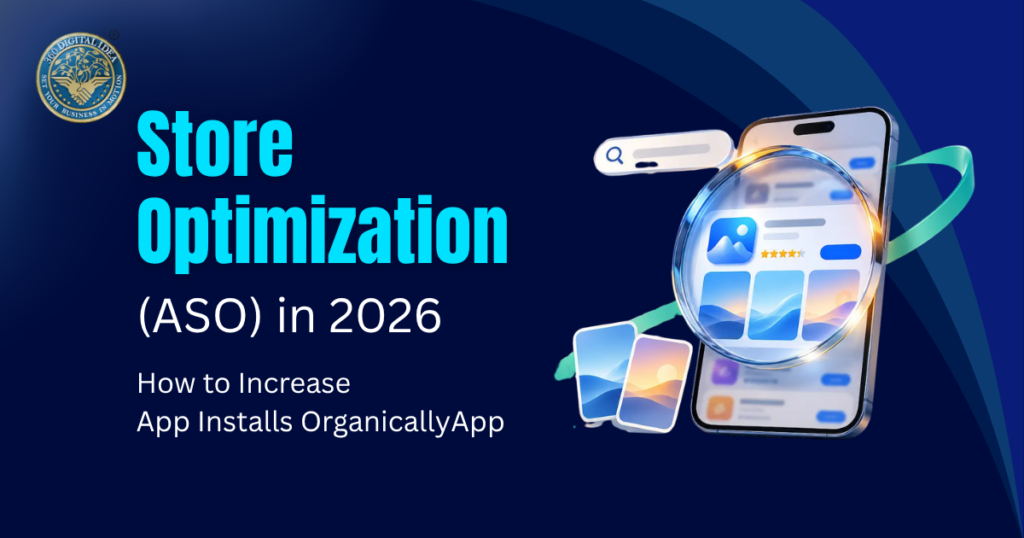
Plenty of good apps sit in the store with a few hundred downloads. The app works fine, but people never find it, or they find it and scroll past. If you want to increase app installs organically, your store listing is where most of the work happens, and it doesn’t need a fresh ad budget every month.
Apple has said that around 65% of App Store downloads happen right after a search. Industry estimates for Google Play run a bit lower, but search is still the main way people find apps there too. So app store optimization (ASO) comes down to two jobs: showing up for the right searches and getting people to tap Install once they land on your page. We’ll cover both, for Google Play and the App Store.
What app store optimization covers, in plain words?
Think of it as two halves. The first is visibility. Your title, keywords and ratings decide where you show up in search and browse. The second is conversion. Your icon, screenshots, video and description decide whether someone installs after seeing you.
Most teams work on one half and ignore the other. An app can rank well and still lose people on the listing page. Or it can have great screenshots that hardly anyone sees. You need both to increase app installs organically.
Where do your keywords go on each store?
The two stores read your listing differently, so the same copy won’t work on both.
| Field: | App Store: | Google Play: |
| Title | 30 characters | 30 characters |
| Second line | Subtitle, 30 characters | Short description, 80 characters |
| Hidden keywords | Keyword field, 100 characters | None |
| Long description | Not used for ranking | 4,000 characters, indexed for search |
On Apple, don’t repeat a word across the title, subtitle and keyword field. The system already combines them, so a repeat just wastes space. Google Play has no hidden field, so every keyword you target also has to read like normal copy for a real person. Google can suspend apps that stuff in repeated or unrelated keywords, so keep it natural.
App store keyword research without the guesswork.
Good app store keyword research starts with how people talk, not how you describe your own app. A budgeting app might call itself a “personal finance companion”. Users type “track expenses” or “monthly budget planner”.
Here’s a simple way to go about it:
- List 20 to 30 phrases a normal person might type when they have the problem your app solves.
- Type them into the store search and note the suggestions that appear. Those are real searches.
- Check the top apps for each phrase and see what they put in their titles and subtitles.
- Use an ASO tool to compare how often a term is searched with how hard it is to rank for.
- Put your strongest phrase in the title, the next ones in the subtitle or short description, and the rest in the keyword field or full description.
- Check rankings every week or two and swap out terms that haven’t moved.
A newer app won’t beat the big names for a broad word like “meditation”. A phrase like “sleep meditation for anxiety” is easier to win, and the people who search it usually know what they want.
How do we approach it at 360 Digital Idea?
When we do app store keyword research for a client, we start with the market, the competitor apps and how the audience searches, before we touch any metadata. After that, we pick primary keywords, map secondary ones across the listing, and track how each one performs. Weak keywords get replaced instead of sitting there for months.
How to improve App Store ranking beyond keywords?
Keywords decide which searches you can appear for. They don’t decide how high you show up. Once your metadata is in good shape, how to improve app store ranking mostly comes down to these:
- Conversion rate. When more people install after seeing your page, the stores treat your app as a better answer for that search.
- Ratings. In an analysis of the top 1,000 US apps in 2025, apps rated 4 stars ranked in the top 10 for about 4.4 keywords on average, against 1.3 for 1-star apps.
- Reviews. Ask for a rating after a good moment, like finishing a task, and not when someone first opens the app. Reply to the bad reviews too.
- App quality. Google Play tracks crashes and freezes and can limit reach for apps that have too many. Slow, buggy apps also collect poor ratings.
- Updates and translation. Regular updates show the stores your app is active. Translating your listing opens up search in other countries, where competition can be lighter.
App store screenshots that convert:
Screenshots are the first thing most people look at, and many never scroll past the first two or three. App store screenshots that convert usually follow a few plain rules:
- One idea per screenshot, with a short caption that states a benefit. “Split bills with friends in seconds” says more than “Powerful features”.
- Text big enough to read on a small phone screen, with strong contrast against the background.
- Real screens from the app, not only artwork. People want to see what they’re getting.
- Your strongest benefit goes first. Apple allows up to 10 screenshots, but the first few do most of the work.
One more thing is worth knowing. Since mid-2025, many ASO teams have noticed that Apple may be reading the caption text on screenshots and using it in search. Apple hasn’t confirmed this, and some tests found weak evidence for it. Even so, it costs nothing to write captions with words people really search for, as long as they still read naturally.
Test before you commit to a design. Apple’s product page optimization lets you run up to three alternative versions for up to 90 days, and Google Play has free store listing experiments. Change one thing at a time, or you won’t know what made the difference.
How do we test visuals at 360 Digital Idea?
Our team designs icons, screenshots and preview videos, then runs A/B tests to see which version converts better. When we build app store screenshots that convert, we look at install trends and user behaviour after each test and adjust the listing from there. We also keep the look consistent across Android and iOS, so the app feels the same on both.
Two newer features worth using in 2026:
Custom product pages on the App Store. These are alternate versions of your page with their own screenshots, promo text and keywords. Since July 2025, they can show up in organic search for the keywords you assign to them, and since late October 2025, you can create up to 70 per app. A fitness app could have one page for runners and another for yoga people, each with its own screenshots.
Custom store listings on Google Play. It’s the same idea on Android. You show different listings to different audiences or countries, so people land on a page that matches what they searched for.
You don’t need 70 pages just because Apple allows it. Start with the two or three audiences that bring you the most traffic.
A few quick ASO tips to start this week:
These ASO tips take a few hours each, not a few months:
- Rewrite your title and subtitle (or short description) around one clear search phrase.
- Look at your first three screenshots on a real phone and cut any text you can’t read.
- Add a rating prompt after a successful action in the app.
- Read your last 20 reviews and fix whatever people keep complaining about.
- Open three competitor listings and note what they do that you don’t.
Most ASO tips you’ll find online say to add more keywords. Better copy and better visuals usually do more than extra keywords.
Wrapping up
Good app store optimization isn’t a one-time job. Stores change, competitors update their pages, and what people search for shifts through the year. The apps that increase app installs organically tend to be the ones that keep checking keywords, testing visuals and answering reviews. Start with the small fixes above and build from there.
If you’d rather have a team handle it, our ASO services cover keyword research, listing optimization, visuals, testing and review strategy for both Android and iOS. You can also look at our app marketing work, or send us a message through the contact page.
FAQs
Q1. What is app store optimization?
It’s the work of making your app easier to find in the App Store and Google Play and more likely to be installed once someone opens the listing. It covers keywords, visuals, ratings and testing.
Q2. How long does ASO take to show results?
Small changes, like new screenshots, can show a result within a couple of weeks, once enough people have seen the page. Keyword rankings usually take longer, often a month or more, depending on your category. Anyone promising an exact timeline is guessing.
Q3. How can I increase app installs organically without ads?
Work on your keywords, your first three screenshots and your ratings. These three things decide whether people find you and whether they install you. Then keep testing and updating.
Q4. How to improve App Store ranking faster?
Fix the basics first: a clear title, a relevant subtitle or short description, and a rating above 4 stars. Then work on conversion, because a page that turns more visitors into installs tends to rank better.
Q5. Do ratings really affect rankings?
Yes. Higher-rated apps tend to rank for more keywords, and low ratings also make people less willing to install. Ask for ratings at a good moment and reply to complaints.
Q6. Does Apple index text on screenshots?
Many ASO teams think so, but Apple hasn’t confirmed it, and some tests show weak results. Write captions people can understand, and don’t stuff them with keywords.
Q7. How often should I change my keywords?
Review them every month or so, but avoid rewriting everything at once. On Apple, title, subtitle and keyword changes go live with a new app version, so plan them around your releases.
Q8. Is ASO different for Google Play and the App Store?
Yes. Apple has a hidden keyword field and doesn’t use the long description for ranking. Google Play indexes the full description and has no keyword field.
Q9. Can ASO replace paid ads?
Not completely. Ads bring quick traffic, while ASO helps that traffic convert and keeps working after the budget ends. Most apps do best using both.